AI-assisted attacks make secure configuration urgent
A cyberattack costs the average small business over €230,000 — and AI is making those weaknesses easier to find. Practical steps that could save you hundreds of thousands in an outage.
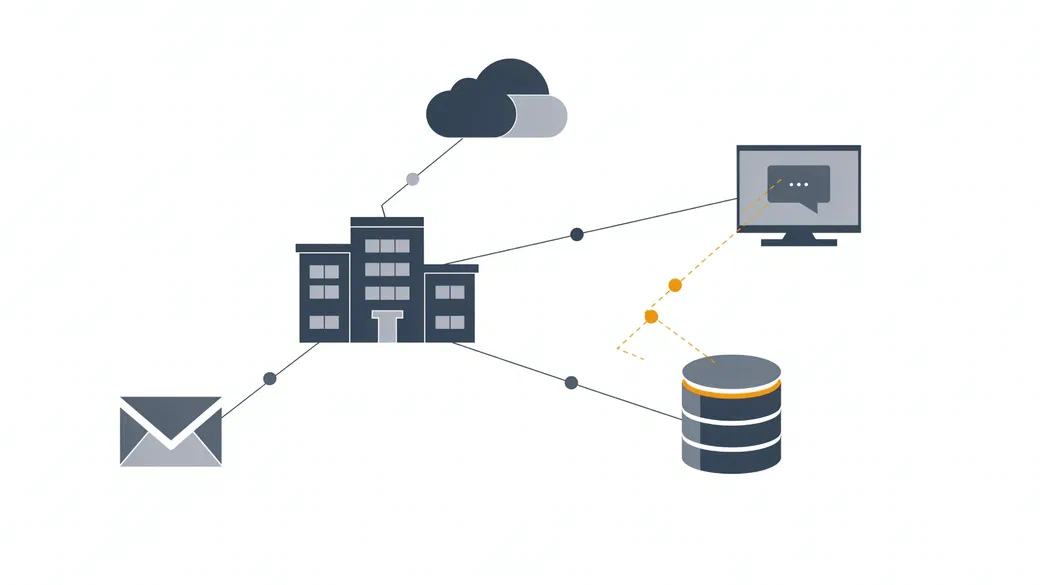
AI is helping attackers investigate weaknesses and automate parts of an attack. For customers, the risks are familiar: stolen information, interrupted services, fraud and the cost of recovery. Secure configuration helps reduce both the likelihood of an incident and the damage it can cause.
A forgotten test server. An old account that still has administrator access. A shared folder containing customer information that more people can access than intended.
These are ordinary security weaknesses. They can arise during a busy project, a staff change or a temporary workaround that nobody revisits.
They have always mattered. AI adds urgency because it can help attackers investigate weaknesses and develop attacks with less manual effort.
The question for a business is practical: where are we exposed, what could an attacker reach, and what would that mean for our customers?
What has changed?
Attackers were scanning the internet and exploiting poorly secured systems long before current AI tools appeared.
AI can help with more of the work that follows: understanding an application, examining a software change, investigating a weakness and adapting an attack.
The UK’s National Cyber Security Centre assesses that AI will increase the speed, scale and efficiency of existing attacks. Its November 2026 assessment also makes clear that adoption is uneven and human operators remain important. NCSC Annual Review 2026.
This does not mean every weakness will be exploited. It does mean businesses have less reason to assume that an overlooked system or loose permission will escape attention.
A patch can give attackers information too
On 16 November 2026, Google’s Threat Intelligence Group reported finding a framework called exploit_agent on an exposed staging server.
Google describes a process that compares software code before and after patch announcements, identifies potential vulnerabilities, drafts exploits and executes them without human intervention. The report does not provide a success rate for the framework. Google Threat Intelligence Group.
Examining patches for clues about security flaws is an established technique. Automating more of that work increases the pressure on organisations to identify affected systems and apply fixes promptly.
Updates remain essential. A business needs to know who owns each system, how urgent fixes are handled and how to confirm that an update has reached every affected service.
What does this mean for your customers?
A technical weakness becomes a business risk through what it allows someone to do.
An exposed application might provide access to customer records. Excessive permissions might let a compromised account alter payment details. Poor separation between systems might allow an incident in a test environment to interrupt a live service.
Customers may face:
- Loss of privacy, if personal or confidential information is accessed.
- Fraud, if criminals use stolen information or compromised communications.
- Service disruption, if customers cannot access the services they depend on.
- Time and expense, as they deal with the consequences.
Your business may then face lost revenue, recovery costs, contractual issues and damaged trust.
These are not abstract costs. Microsoft’s 2024 SMB cybersecurity research1 found that one in three small and medium businesses has already been the victim of a cyberattack, and that an attack costs an SMB over $250,000 on average — roughly €230,000 — and as much as $7 million, or about €6.4 million. For a smaller business, a single incident at the lower end of that range can still be existential.
That is why security priorities should start with customer impact. Which information would cause harm if exposed? Which services can customers least afford to lose? Who can access or change them?
Secure configuration limits the damage
A software vulnerability and a configuration mistake are different problems, but they can compound each other.
Consider a test application running outdated software. If it is publicly accessible and holds credentials that can reach production data, an attacker has several opportunities.
Patching addresses the software flaw. Restricting public access reduces exposure. Limiting the application’s permissions and separating it from production reduces what an attacker could reach.
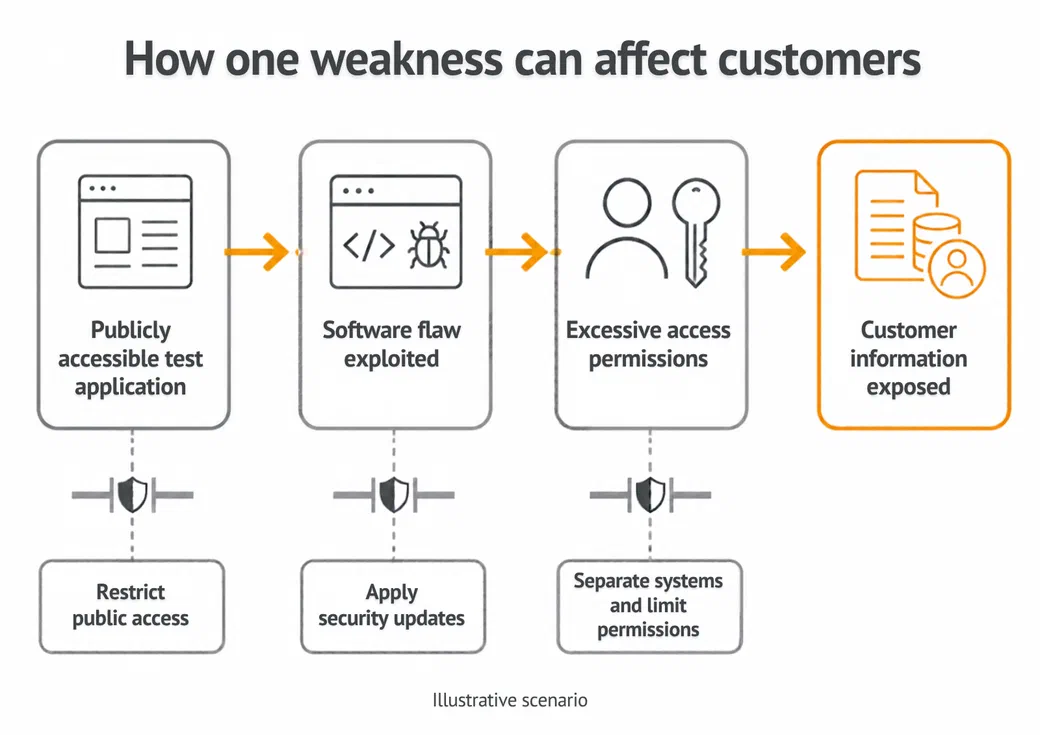
These are established controls. NSA and CISA have identified recurring weaknesses including excessive privileges, poor patch management, insufficient monitoring and weak or misconfigured multi-factor authentication. NSA/CISA advisory.
The aim is to prevent avoidable incidents and contain the consequences when a control fails.
What to do now
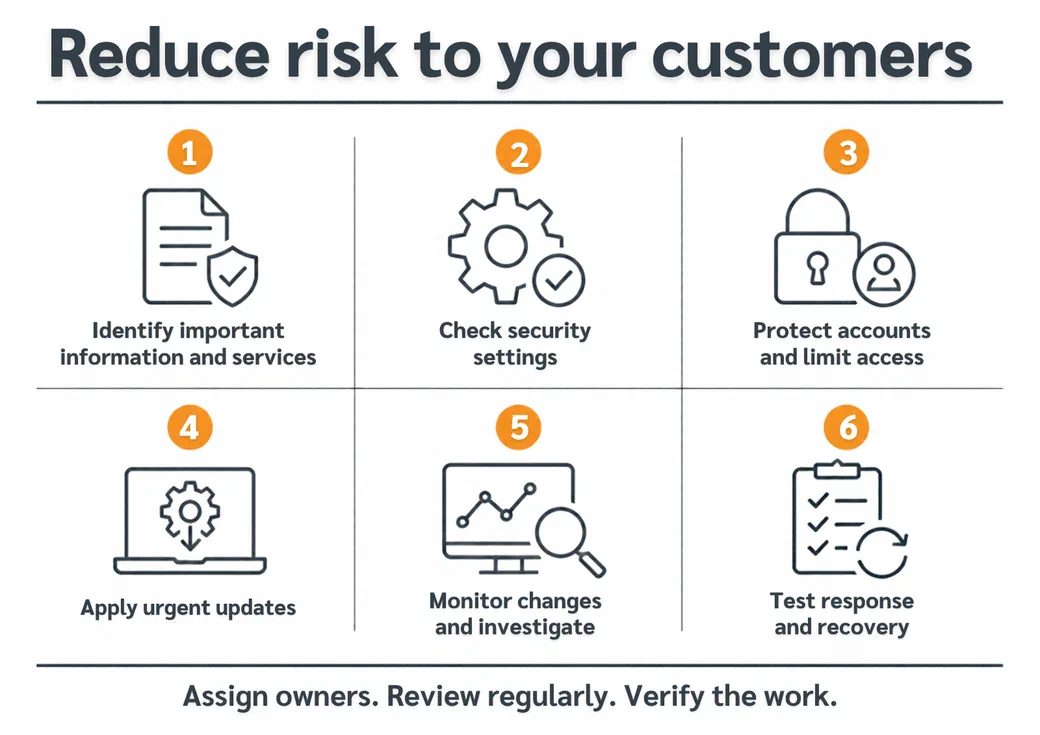
Start with customer information and essential services
Identify where important information is held, which systems deliver your services and who is responsible for them.
Include supplier access, cloud applications, test environments and accounts used by software. Every important system needs an owner.
Check how your systems are configured
Review administrative access, external sharing, unused accounts and services exposed to the internet.
Use recognised guidance rather than inventing a checklist. The CIS Benchmarks set out secure-configuration baselines for common operating systems, cloud platforms and Microsoft 365, so you can measure your environment against an agreed standard instead of guesswork.
An assessment should produce a prioritised list of actions, with owners and completion dates.
Protect accounts and restrict access
Use phishing-resistant multi-factor authentication where supported, particularly for email, remote access and administrator accounts.
Give people and applications only the permissions they need. Remove access when staff leave, suppliers finish their work or applications are retired.
For Microsoft customers, review whether Microsoft Entra security defaults or appropriately configured Conditional Access policies provide the protection your organisation needs. Microsoft guidance.
Have a process for urgent updates
Prioritise weaknesses being actively exploited, systems accessible from the internet and services whose compromise would cause serious customer harm.
Decide who can authorise an urgent change. If an update cannot be applied promptly, assess whether access can be restricted or the affected service temporarily disabled.
Watch for changes and investigate them
New administrator accounts, altered permissions, unexpected forwarding rules and disabled security controls can warrant investigation.
Collect the logs needed to understand those events. Set retention periods deliberately, protect the records and make sure someone is responsible for responding to alerts.
Security settings also need regular review. A configuration that was appropriate six months ago may have changed through routine work.
Test response and recovery
Know who will lead an incident, contact suppliers and communicate with customers.
Automate defined response actions where they have been tested and the business impact is understood. Keep human review available for decisions that could interrupt essential services.
Protect backups and test restoration. Customers depend on your ability to recover as well as your ability to prevent an attack.
Make the risk visible
AI-assisted attacks add urgency to work that businesses already need to do.
You should be able to explain which customer information and services are most exposed, what you are doing to protect them and how you would recover from an incident.
Secure configuration is part of that responsibility. It needs clear ownership, regular checks and action when gaps are found.
If you are unsure where to start, book a free 30-minute chat. We will discuss the risks to your business and your customers, and the practical steps that deserve attention first.
Microsoft, “SMB Cybersecurity Research Report 2024” — online survey of 2,000 IT security decision-makers and influencers at UK and US businesses with 25–299 employees, September 2024. Cost figures are reported in US dollars; euro amounts are approximate. Microsoft Security blog. ↩︎